OpenCode ❤️ OGX

· 2 min read

OpenCode is an open source AI coding agent that helps you write code in your terminal, IDE, or desktop. It is a popular open source alternative for tools like Claude Code and Codex.

OpenCode has a concept of providers that is similar to OGX's inference providers - they are a local or cloud-based model inference endpoint that expose an LLM for OpenCode to utilize. This is similar but does differ from OGX providers which are inclusive of inference but also include providers for vector stores, safety backends, tool runtimes, etc.

OGX as a OpenCode provider has some strong advantages over providers that offer only inference:

  • Unified API for tools + RAG + storage
  • Multiple providers behind one endpoint
  • Built-in orchestration layer

In this blog I am going to share how to start running OpenCode with OGX as a provider, using OpenCode's custom provider feature.

The blog assumes you already have an OGX server up and running - see our Getting Started guide to learn more.

Download OpenCode

Downloading OpenCode is simple and can be done in various ways. You can see a full list of methods here but generally the below curl command is suifficient in most cases.

curl -fsSL https://opencode.ai/install | bash

Configure OGX as a provider for OpenCode

As mentioned before, this blog assumes an OGX server is already running at localhost:8321 - in this case, we are also making the following assumptions:

  • The remote::vllm provider is enabled, serving the Qwen/Qwen3-8B model
  • The remote::watsonx provider is enabled, with the gpt-oss-120b model available
  • No authentication has been added

You can verify what models your OGX server has available with curl http://localhost:8321/v1/models

We can now configure OpenCode to use our OGX server via a custom provider.

Create a file ~/.config/opencode/opencode.json with the following content:

{
"$schema": "https://opencode.ai/config.json",
"provider": {
"ogx": {
"npm": "@ai-sdk/openai-compatible",
"name": "OGX",
"options": {
"baseURL": "http://localhost:8321/v1"
},
"models": {
"vllm-inference/Qwen/Qwen3-8B": {
"name": "Qwen3-8B"
},
"watsonx/openai/gpt-oss-120b": {
"name": "gpt-oss-120b"
}
}
}
}
}

Once the file is created, start OpenCode - it should look something like this:
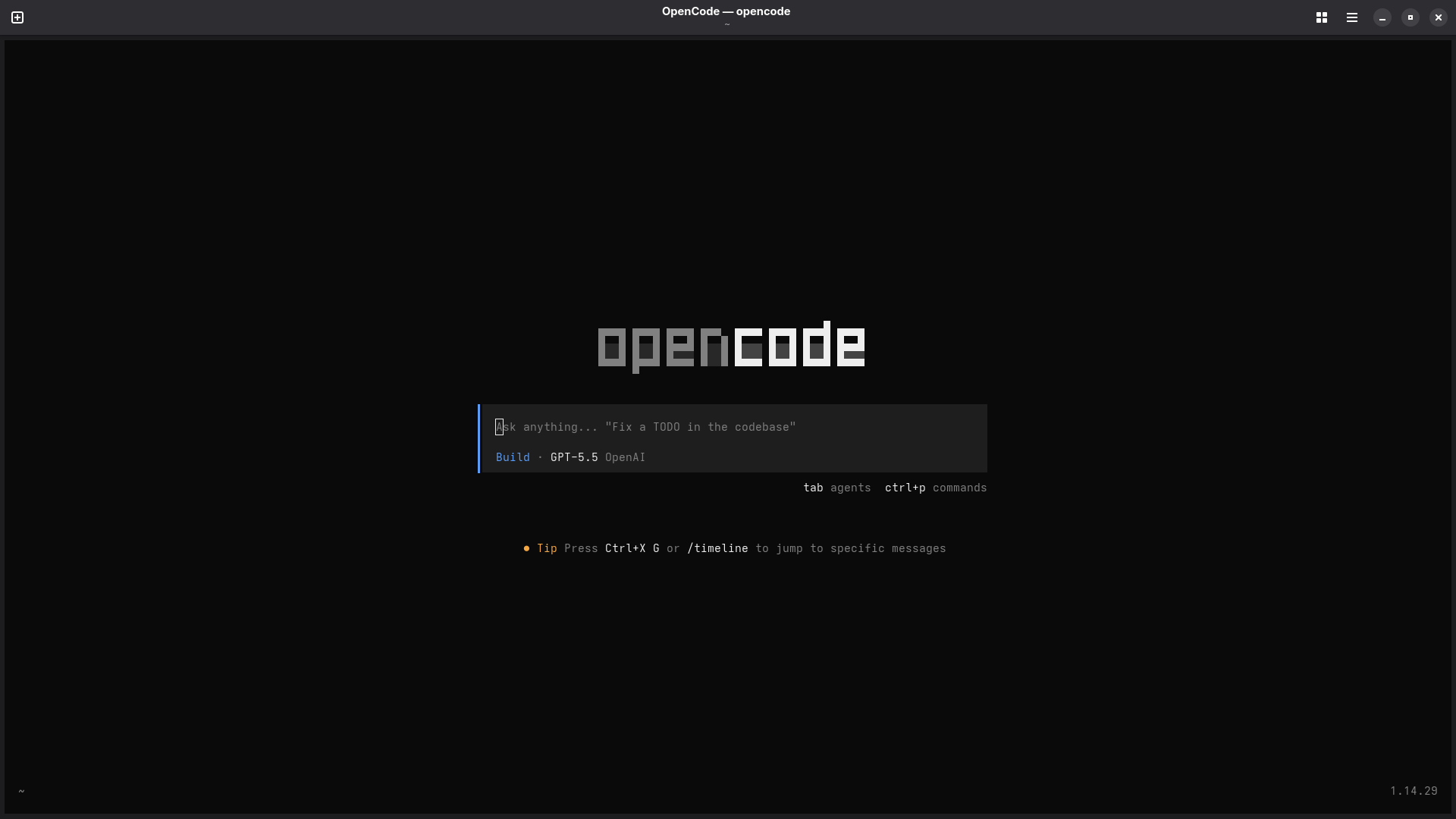
OpenCode Home

Run /connect in the TUI. If you search OGX the provider should come up with our two models listed.
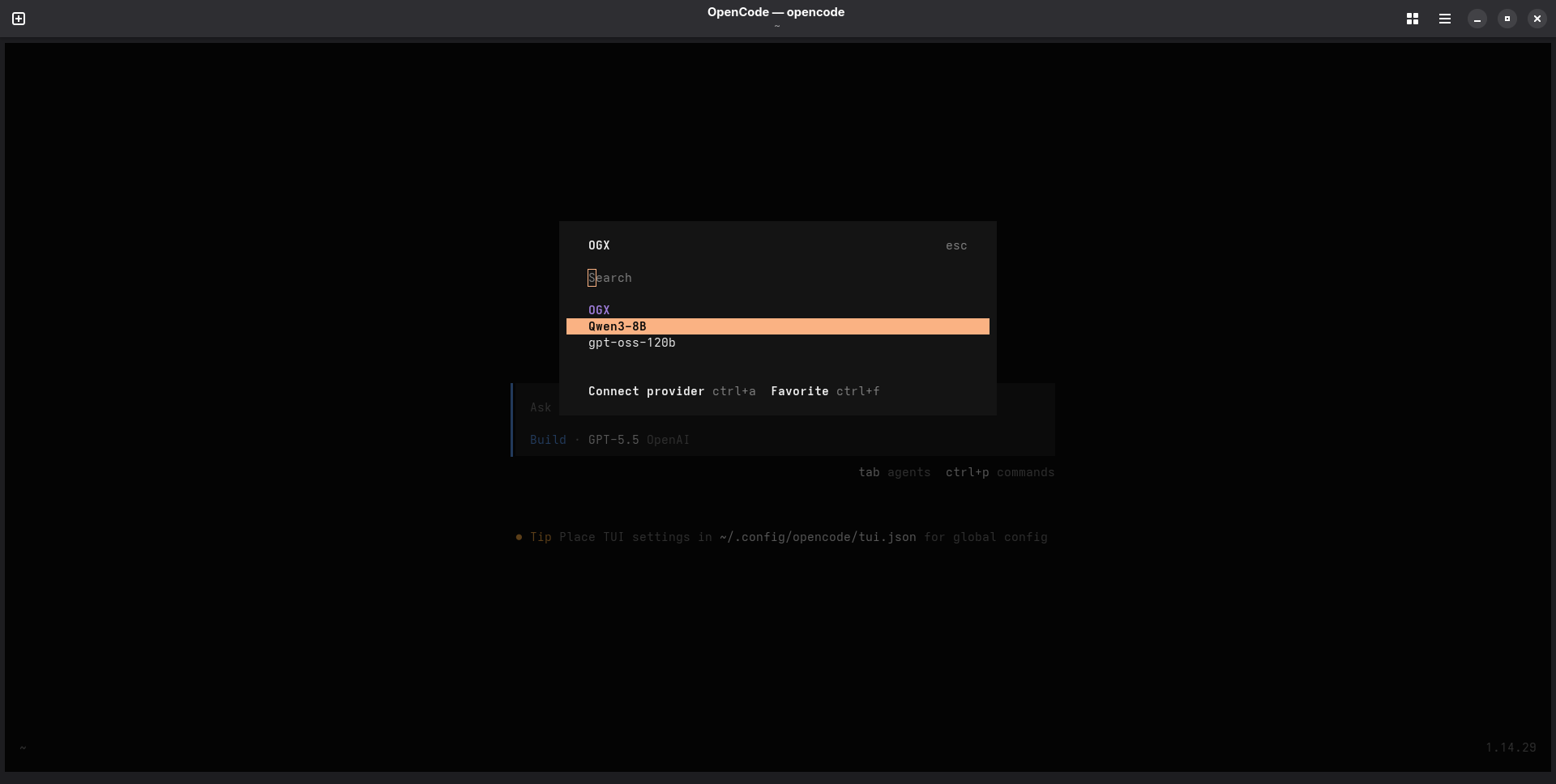
OpenCode Models

Select gpt-oss-120b and hit enter. If you are prompted for an API key, you can just put None since we haven't configured one in this case.

Use OpenCode with OGX

Now that you have your OGX-provided model selected, it's time to start using OpenCode with OGX! Go ahead and start prompting in the TUI - it should look something like this:
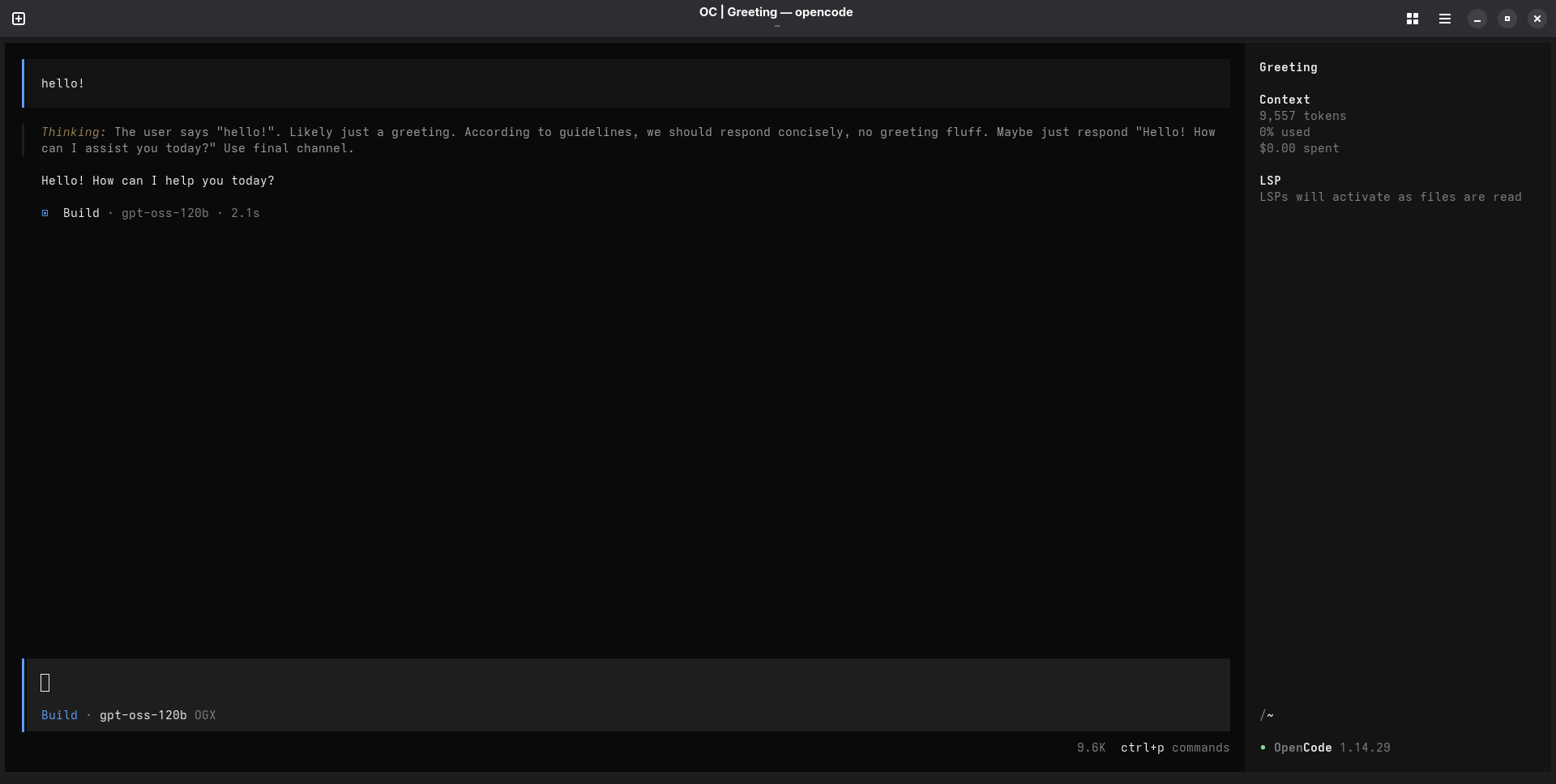
OpenCode User

And that is it! You can tweak your OGX server and OpenCode custom provider configuration to add additional providers, models, and whatever else you might need for yourself or your enterprise.

Thanks for reading, and happy coding!
From Llama Stack to OGX: A New Name, A Sharper Mission

· 5 min read
OGX Team
Core Team

Llama Stack is now OGX. The name changed, but more importantly, so did the mission.

When this project started, it was an API standardization effort — a set of specs for building AI applications, anchored to the Llama model family. That framing attracted contributors and integrations, but it also created confusion about what the project actually is. People thought it was a spec. Or a Llama-only thing. Or another framework.

It's none of those. OGX is a server. Specifically, it's a server-side agentic loop that speaks the native API of every major frontier lab — OpenAI, Anthropic, and Google — so your application code doesn't have to care which one you're using.

This post explains why we renamed, what changed in the project's direction, and what that means for you.

Tracing OGX Applications with MLflow: SDK vs OTel Collector

· 6 min read

As LLM-powered applications grow in complexity, observability becomes essential. You need to understand what your application is doing — what prompts are being sent, what responses come back, how long each call takes, and how many tokens are consumed. MLflow provides a powerful tracing framework that captures all of this, which can be integrated with ogx for observability.

In this post, we'll walk through two approaches for exporting OGX traces into MLflow:

  1. MLflow SDK — Direct instrumentation using MLflow's built-in tracing and autologging
  2. OTel Collector — Decoupled telemetry pipeline using OpenTelemetry auto-instrumentation and an OTel Collector as the intermediary

By the end, you'll understand when to use each approach and how to set them up.

OGX Observability: Metrics, Traces, and Dashboards with OpenTelemetry

· 7 min read

Running an LLM application in production is nothing like running a traditional web service. Responses are non-deterministic. Latency swings wildly with model size and token count. And failures are often silent — a tool call that returns garbage still comes back as a 200 OK. You can stare at your HTTP dashboard all day and have no idea that half your users are getting bad answers.

We recently shipped built-in observability for OGX, powered by OpenTelemetry. Three environment variables, zero code changes, and you get metrics and traces from every layer — HTTP requests, inference calls, tool invocations, vector store operations, all the way down.

This post explains the architecture behind it, walks through a hands-on tutorial, and shows what you can actually see once it's running.

OGX Achieves 100% Open Responses Compliance: Enterprise-Grade OpenAI Compatibility for Your Infrastructure

· 5 min read
Charlie Doern
OGX Core Team

We're excited to share that OGX has achieved 100% compliance with the Open Responses specification and been officially recognized as part of the Open Responses community. This milestone represents more than just compatibility: it's about bringing enterprise-grade AI capabilities to your own infrastructure with the familiarity of OpenAI APIs.

With comprehensive support for Files, Vector Stores, Search, Conversations, Prompts, Chat Completions, the full Responses API, plus powerful extensions like MCP tool integration, Tool Calling, and Connectors, OGX offers something unique in the AI infrastructure landscape: a SaaS-like experience that runs entirely on your terms.

Your Agent, Your Rules: Building Powerful Agents with the Responses API in OGX

· 5 min read

The Responses API is rapidly emerging as one of the most influential interfaces for building AI agents. It handles multi-step reasoning, tool orchestration, and conversational state in a single interaction, which is a big improvement over the manual orchestration loops that developers had to build on top of chat completion APIs. OGX's implementation of the Responses API brings these capabilities to the open source world, where you can choose your own models and run on your own infrastructure.

This post covers why the Responses API matters, what OGX's implementation enables, and how it connects to the broader move toward open agent standards like Open Responses.

Building a Self-Improving Agent with OGX

· 7 min read
Raghotham Murthy
OGX Core Team

What if your AI agent could improve itself? Most agent tutorials show a single loop — user asks a question, the agent calls some tools, returns an answer. But what happens when you need to systematically improve your agent's behavior over time?

In this post, we build a ResearchAgent that answers questions from an internal engineering knowledge base — and gets better at it automatically. The agent uses the Responses API agentic loop with file_search and client-side tools to research questions, and it owns its own system prompt. Every N calls, it benchmarks itself by using a different model to judge the results, and rewrites its own prompt via the Prompts API.

This is literally self-referential: a OGX agent evaluating and improving itself using the Responses API, Prompts API, and Vector Stores as its toolkit.